Mini Legends Idle Beginner Checklist
Tick these boxes before you leave Mini Legends Idle running overnight.
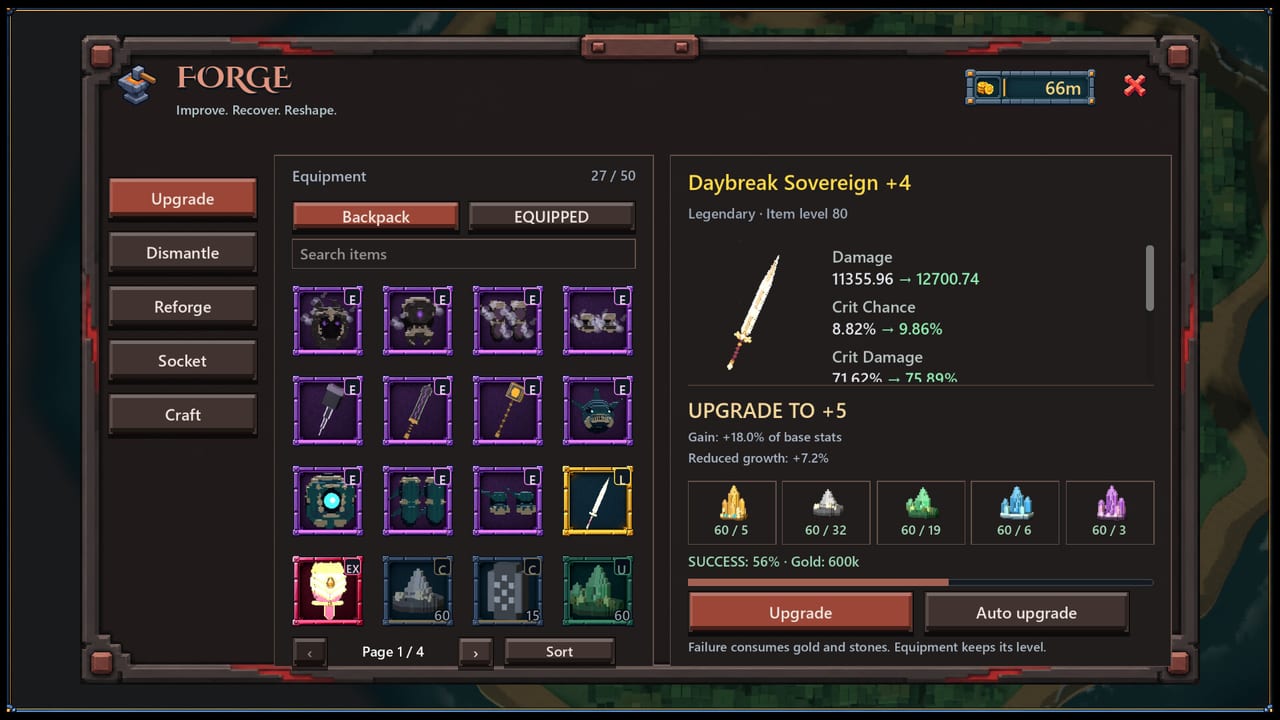
This beginner checklist turns the early Mini Legends Idle experience into an ordered list. Work top to bottom during your first Steam session. Each item links to a deeper guide when you need more than a checkbox.
Install and account
- Install from the official Steam page linked on our Links Hub
- Confirm you are online — the game expects a persistent connection
- Join the official Discord so hotfix notes are hard to miss
- Bookmark Codes for any launch promos
First combat session
- Finish onboarding tooltips without skipping past forge and inventory hints
- Select an early zone your hero can clear smoothly
- Watch at least one full clear cycle before walking away
- Equip the best understood weapon and armor drops
- Read Getting Started if anything feels confusing
Inventory hygiene
- Clear junk so new drops remain visible
- Mark one weapon keeper and one armor keeper
- Avoid forging every rarity ping — see Forge and Upgrades
- Compare keepers to the weapons and armor lists
Automation and skills
- Stock the potion quick bar
- Enable sustain automation for AFK
- Leave expensive burst buffs conservative until you know burn rate
- Equip available skills and any early spellbooks
- Skim Spells and Passives
First forge visit
- Upgrade only the marked keepers
- Retest clear speed for five minutes
- Decide whether to farm or attempt a small push using Zone Progression
End of day one
- Park on the highest efficient farm, not the highest scary tile
- Set Farming Priorities for tomorrow
- Glance at Launch Notes for day-one patches
- Pick a build archetype to guide future drops
Day two stretch goals
- Re-audit passives after new armor drops
- Replace any forged temporary piece that already lost its slot
- Complete a supervised push after a meaningful upgrade
- Share feedback with developers through official channels if you hit bugs
How to use this checklist weekly
After launch week, reuse a shortened version: clean inventory, confirm automation, forge keepers, set farm goal, check updates. Idle games reward boring consistency.
Related pages
Print it, keep a notes app copy, or simply scroll and mentally tick boxes. The order matters more than the format.
Optional quality-of-life extras
- Set Steam notifications for the game’s news hub
- Create a notes file for keeper weapons and armor passives
- Screenshot your first stable farm zone for later comparison
- After day three, reread How to Play once with fresh eyes
These extras are not required to idle, but they make later tier-list decisions faster and keep you from forgetting why a piece earned its forge investment.
If you stall halfway through the list, do not restart from zero tomorrow. Resume at the first unchecked box, finish automation and forge planning, then idle. Partial checklists still beat improvisation when the Steam launch chat is loud and contradictory.
Treat the checklist as a living document for the first week. When Reysher Games ships a hotfix that adds a panel or changes potion defaults, add a temporary line at the top so you re-check automation before the next overnight farm.
Frequently Asked Questions
Quick answers to the most common questions.
Do I need to finish every checkbox before idling?
Finish install, stable zone, potions, and at least one intentional forge plan before long AFK. Other items can follow the same day.
What if I am already past the tutorial?
Skip install steps and start at inventory hygiene, then use Farming Priorities.
Is this checklist free-to-play friendly?
Yes. No step requires purchases.